Partners needed banner ads across all top display sizes. Each resize meant manual work: swapping copy, repositioning elements, adjusting layouts. What used to take a designer a full day could now happen in minutes — but only if we could teach a machine the design rules, not just generate pictures.
The problem: production reality vs. AI hype
By late 2023, most AI creative tools — Canva, Stable Diffusion, Midjourney, Microsoft Image Creator — focused on generating imagery. Beautiful outputs, but static. Uneditable. That didn't solve the real workflow problem: advertisers and publishers still needed to produce dozens of banner sizes, each following brand guidelines, each requiring manual adjustment.
We used to ask designers to create these manually, or hire agencies. Communication took time, quality varied, and updating all sizes was a day's work.
Partner feedback, early discovery
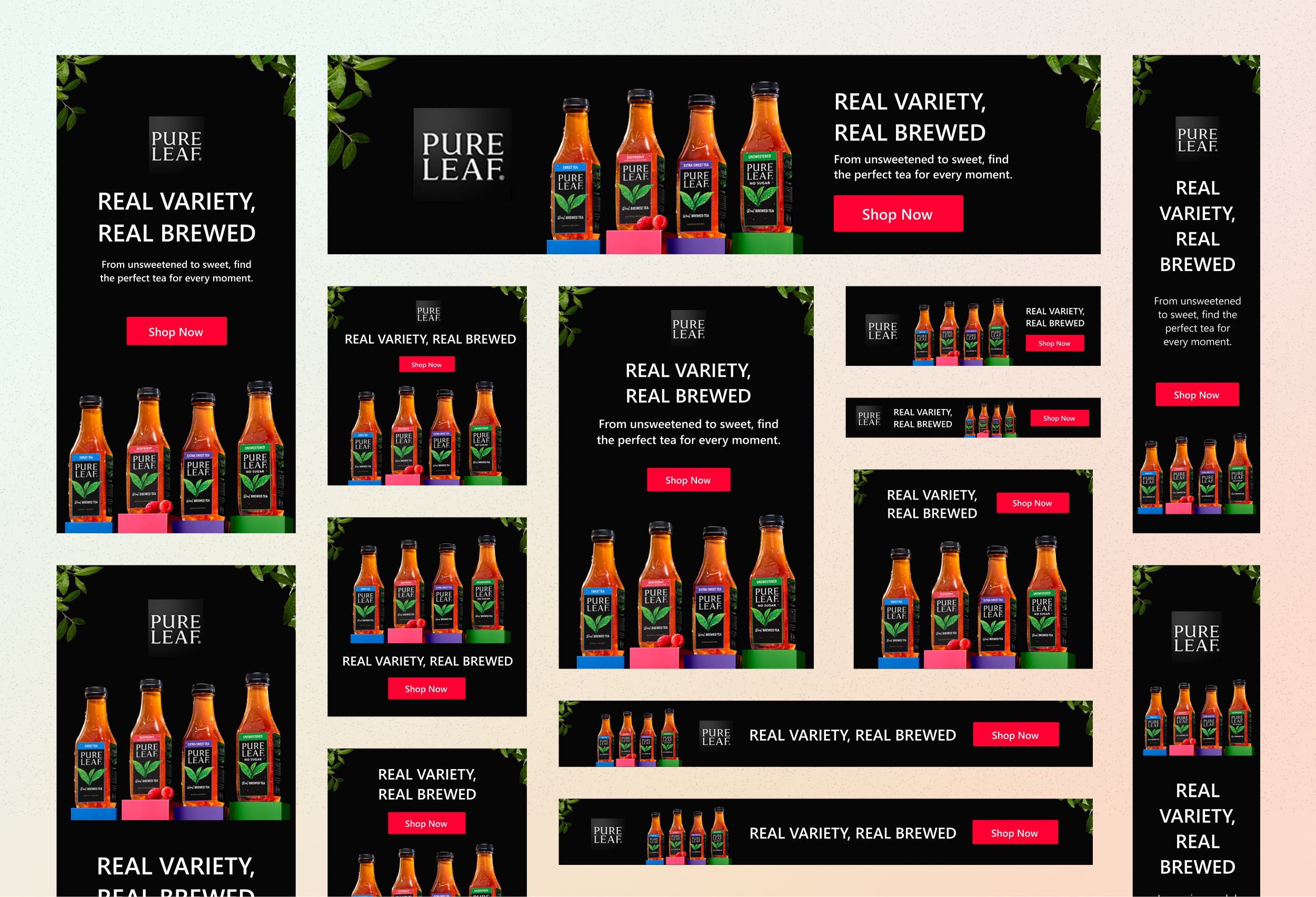
The pain wasn't generating one pretty image. It was adapting one ad concept across all top display sizes — portrait, landscape, square — while respecting partner brand guidelines and producing editable output they could still customize.
The bet: teach layout logic, not templates
My thesis was different from the industry direction. Instead of generating static images, we'd build a system that understood design rules and generated editable layouts. Not "here's a picture" — here's a structured design you can still modify.
The shift: from templates to logic. Define how a banner should adapt, not what it should look like.
What I designed: the rule system
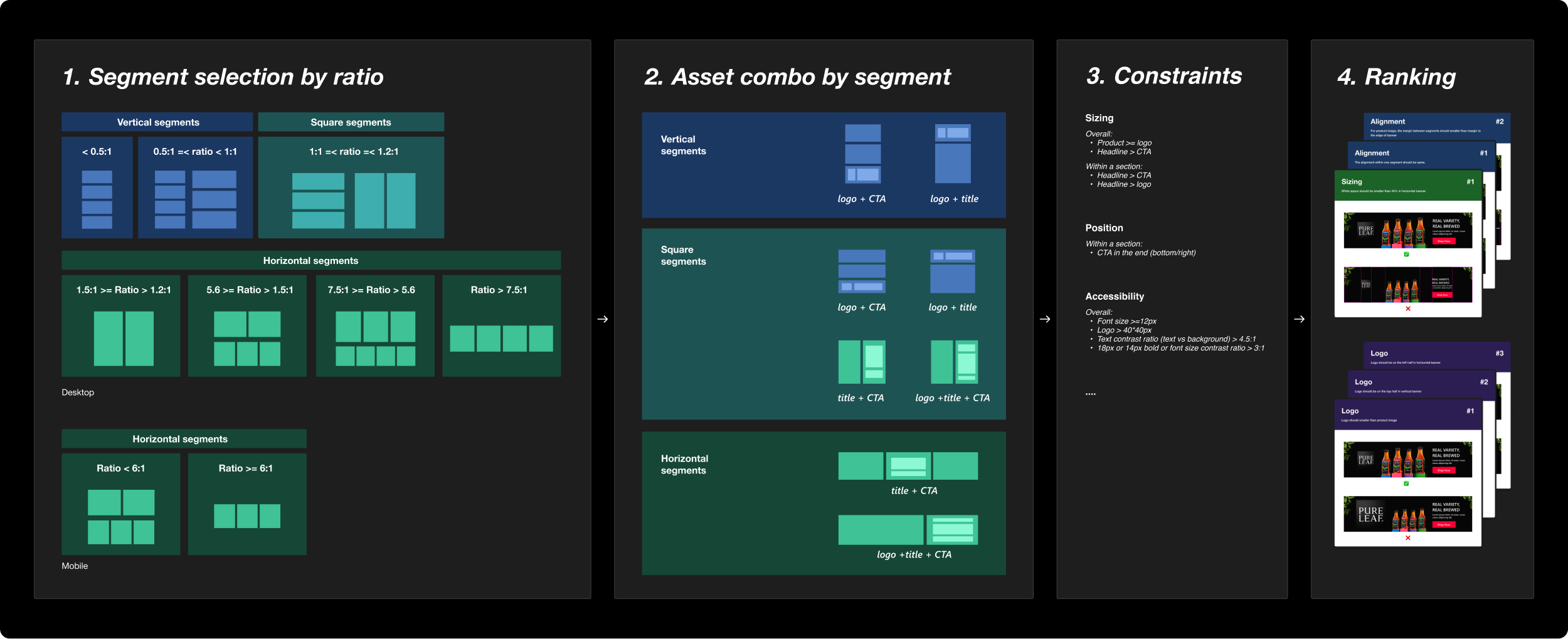
I owned the banner generation logic — the decision tree the AI would follow to create production-quality output. Working closely with ML scientists and platform engineers, I defined the design system as executable rules:
- Dynamic layout rules for different aspect ratios — portrait, landscape, and square each had specific composition logic, not just scaled versions of one template.
- Responsive typography and element alignment — font sizes, spacing, and hierarchy adjusted based on canvas dimensions.
- CTA placement logic — call-to-action positioning adapted to available space and content priority.
- Asset combination rules — a decision tree ensuring every possible asset permutation (missing images, long/short copy, with/without logo) had a valid solution.
The key insight: instead of designing templates, I designed the logic that generates templates. The system needed to understand layout, not just reproduce it.
Cross-functional collaboration
This wasn't a solo design effort. I worked in a tight loop with:
- ML scientists — shaping training data and validating that the model learned layout principles, not just pattern matching.
- Platform engineers — translating design rules into backend logic that could generate structured, editable output.
- Real partners — advertisers and publishers with actual banner needs, who validated that outputs met production quality and brand guidelines.
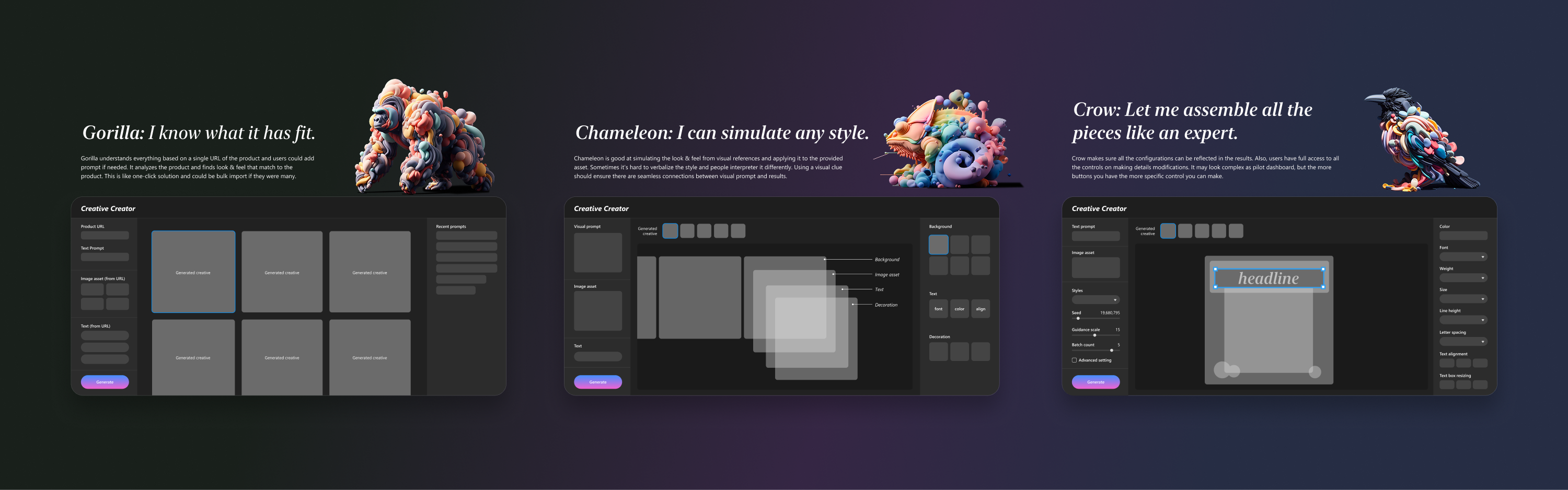
I also scoped the end-to-end creator experience — from web UI to generation logic — but the scope was too large for one designer. Another designer joined to own the product UI/UX while I focused on the generation system.
What shipped
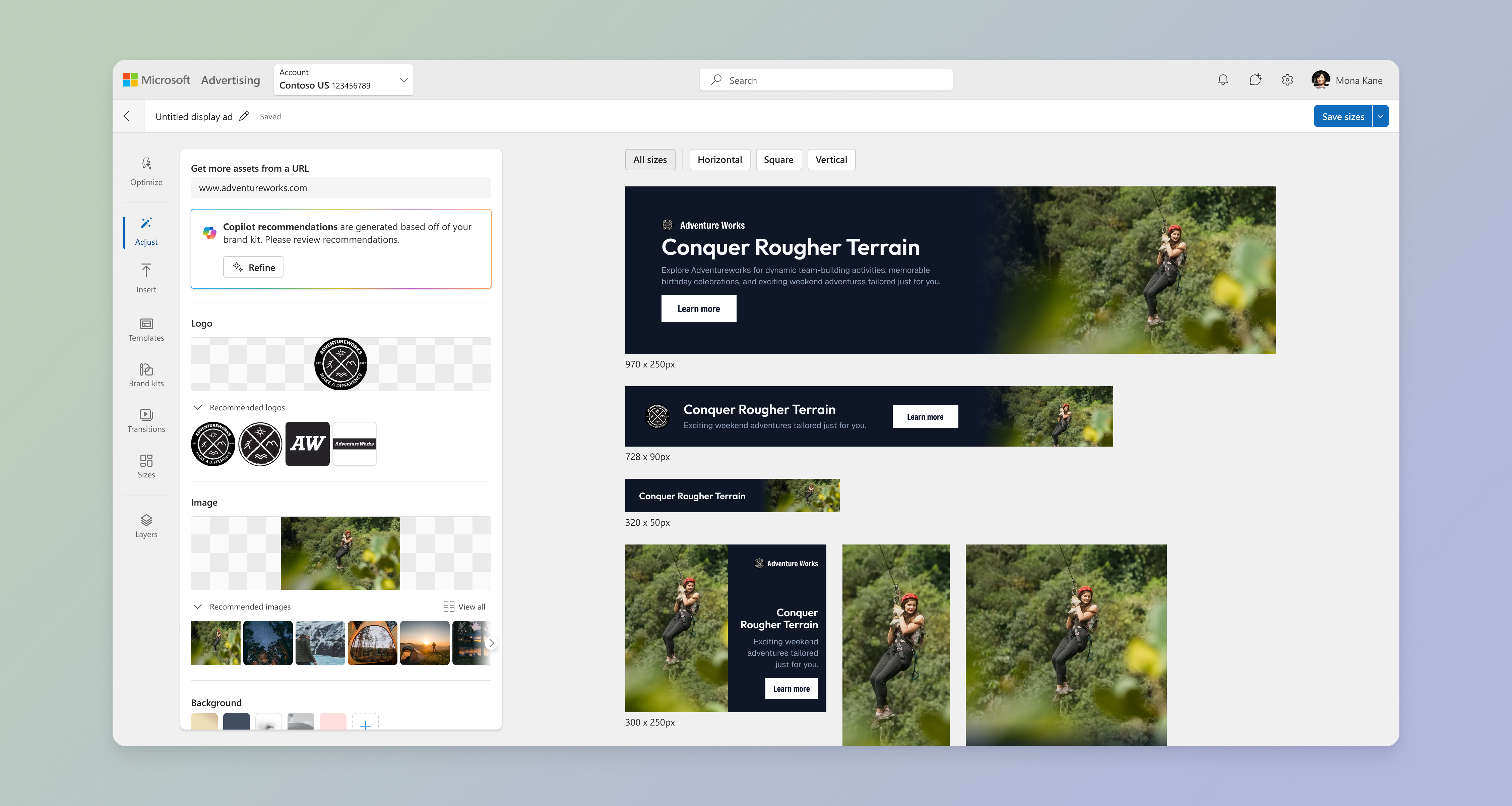
The creator tool launched in the Microsoft Advertising platform. Advertisers, publishers, and brand marketing teams could now generate production-quality, editable banners without design expertise or agency delays.
The impact: What used to take a full day of manual work — updating dozens of banner sizes one by one — now happened in minutes, with editable output partners could still customize to their needs.
- Backend shipped Q2 2024
- Web experience shipped Q3 2024
- Production use in Microsoft Advertising platform
Why this mattered in 2023
While the industry was racing to generate prettier images, we were solving a different problem: removing manual toil from production workflows. The differentiator wasn't better pictures — it was editable, rule-based layouts that understood design logic.
That's a bet on AI as a tool that learns design principles, not replaces designers. The same thesis shows up in my later work on AI-assisted content operations: automation should remove repetitive work, not creative judgment.
I owned the generation logic and rule system, not the full product. Another designer led the creator tool UI/UX. My contribution was defining how the system thinks about layout, not every surface a user sees.